We may earn a commission when you buy through links on this page, at no extra cost to you. How we test and make money
Quick answer
On a Google Pixel, open Settings, then Network & internet, SIMs, Add SIM, Set up an eSIM. On a Samsung Galaxy, open Settings, then Connections, SIM card manager, Add mobile plan, Add using QR code. Scan the QR code from your eSIM provider over Wi-Fi, then choose the travel eSIM for mobile data when you arrive.
Before you start
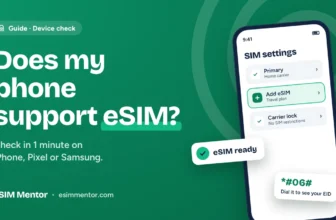
- A phone that supports eSIM. Not sure? See does my phone support eSIM.
- A phone that isn’t locked to your home carrier.
- A Wi-Fi connection for the install.
- The QR code or install link from your eSIM provider.
Google Pixel
- Connect to Wi-Fi.
- Open Settings and tap Network & internet > SIMs > Add SIM > Set up an eSIM.
- Follow the prompts and scan the QR code from your provider.
- When setup finishes, tap Get started > Next > Done on the SIM preferences screens.
- Under Your primary SIMs, choose the travel eSIM for Mobile data when you arrive. Only one SIM can be the data default.
Samsung Galaxy
- Connect to Wi-Fi.
- Open Settings > Connections > SIM card manager.
- Tap Add mobile plan, then Add using QR code.
- Scan the QR code from your provider. The plan downloads to your phone.
- In SIM card manager, set the travel eSIM as the SIM for mobile data when you arrive.
Checked against the official guides: Google Pixel Help: use multiple SIMs, Samsung: how to use an eSIM with your Galaxy phone. Checked 20 October 2026. Menu names can differ slightly between phone models, software versions and countries.
Tip: Most travel eSIMs need roaming turned on for that SIM. Your provider’s install email says whether its eSIM needs it. Keep roaming off for your home SIM to avoid charges.
If it won’t connect
- Check that the travel eSIM is switched on and set as the SIM for mobile data.
- Turn on roaming for the travel eSIM if your provider asks for it.
- Turn airplane mode on and off, or restart the phone.
- Still nothing? See eSIM not working abroad for more fixes.
Related deals
Need an eSIM first? Compare plans in the eSIM finder.


Joseph Larkin is the founder and editor of eSIM Mentor. He compares travel eSIM plans and checks every price on the provider's own website before it goes on the site, and every coupon is tried at checkout before it is listed. His aim is simple, honest advice that helps travelers pick the right plan and avoid roaming bills.